// This is a generic paginator for album, photo and movie pages. Depending on the page type,
// there are different sets of variables available. With this data, you can make a paginator
// that lets you say "You're viewing photo 5 of 35", or "You're viewing photos 10 - 18 of 37"
// for album views.
//
// Available variables for all page types:
// $page_type - "collection", "item", or "other"
// $page_subtype - "album", "movie", "photo", "tag", etc.
// $previous_page_url - the url to the previous page, if there is one
// $next_page_url - the url to the next page, if there is one
// $total - the total number of photos in this album
//
// Available for the "collection" page types:
// $page - what page number we're on
// $max_pages - the maximum page number
// $page_size - the page size
// $first_page_url - the url to the first page, or null if we're on the first page
// $last_page_url - the url to the last page, or null if we're on the last page
// $first_visible_position - the position number of the first visible photo on this page
// $last_visible_position - the position number of the last visible photo on this page
//
// Available for "item" page types:
// $position - the position number of this photo
//
?>
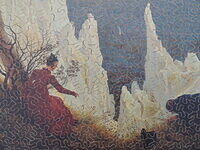
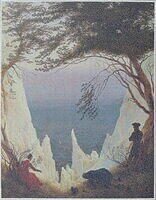
Kreidefelsen auf Rügen
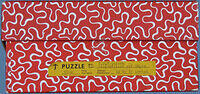
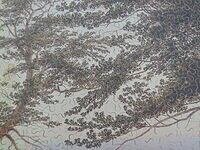
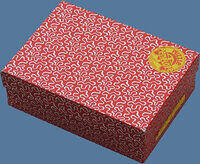
This 1000 piece fully interlocking puzzle posed a hugely challenging task of assembly but was well worth all of the time and effort. The stunning painting, by the German Romantic landscape artist Caspar David Friedrich (1774-1840), places himself, along with his new wife Christiane Caroline Bommer and his younger brother Christian, all in the foreground of this spectacular setting on the island of Rügen, where they visited during their honeymoon. Source: Wikipedia.
The fully interlocking cutting style of the Penelope brand has been brilliantly executed in this example.
Artist: Friedrich. Caspar David,
Brand: Penelope
Material: Plywood
Nationality: Switzerland
Pieces: 1000
Size: 18" x 22"
Theme: Landscape
Title: Kreidefelsen auf Rügen
// This is a generic paginator for album, photo and movie pages. Depending on the page type,
// there are different sets of variables available. With this data, you can make a paginator
// that lets you say "You're viewing photo 5 of 35", or "You're viewing photos 10 - 18 of 37"
// for album views.
//
// Available variables for all page types:
// $page_type - "collection", "item", or "other"
// $page_subtype - "album", "movie", "photo", "tag", etc.
// $previous_page_url - the url to the previous page, if there is one
// $next_page_url - the url to the next page, if there is one
// $total - the total number of photos in this album
//
// Available for the "collection" page types:
// $page - what page number we're on
// $max_pages - the maximum page number
// $page_size - the page size
// $first_page_url - the url to the first page, or null if we're on the first page
// $last_page_url - the url to the last page, or null if we're on the last page
// $first_visible_position - the position number of the first visible photo on this page
// $last_visible_position - the position number of the last visible photo on this page
//
// Available for "item" page types:
// $position - the position number of this photo
//
?>